> ## Documentation Index
> Fetch the complete documentation index at: https://docs.polymarket.us/llms.txt
> Use this file to discover all available pages before exploring further.
# Quickstart
> Make your first API request in minutes.
## Step 1: Get your API keys
1. **Download the app** - Get the [Polymarket US app](https://apps.apple.com/us/app/polymarket/id6648798962) and create an account.
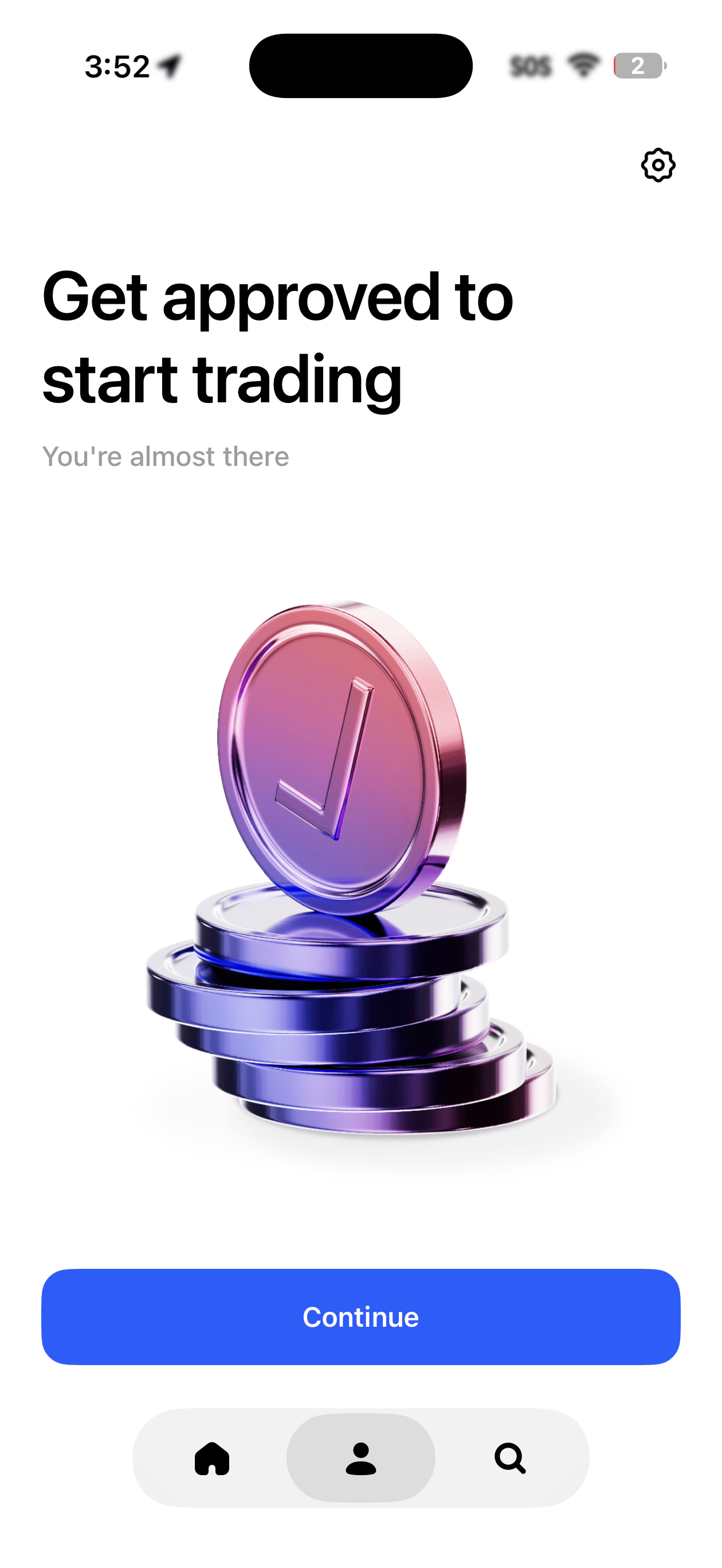
2. **Complete identity verification** - You'll be asked to verify your identity before you can trade or access the API. Once approved, you'll see a confirmation in the app.
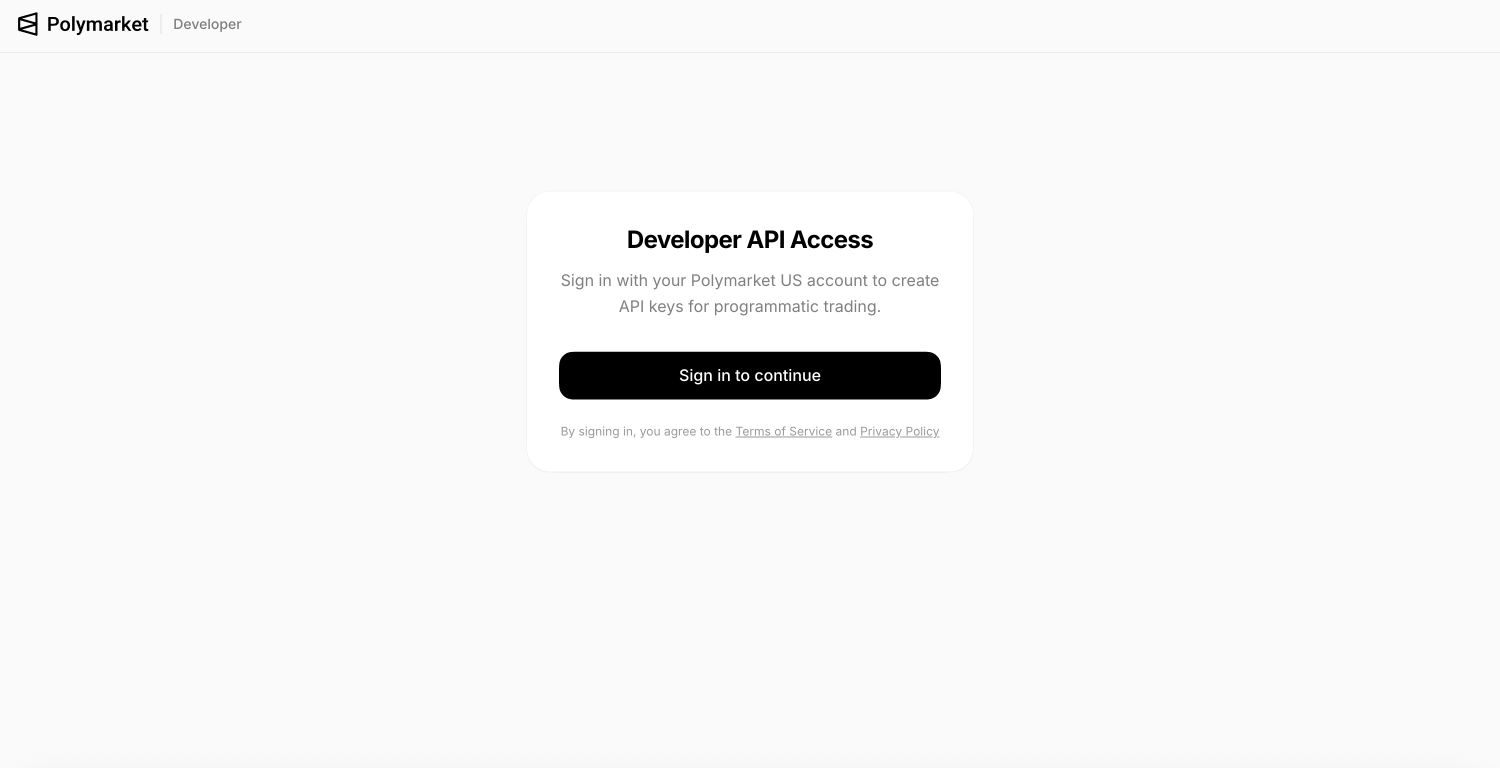
 3. **Go to the developer portal** - Visit [polymarket.us/developer](https://polymarket.us/developer) and sign in with the same method you used in the app (Apple, Google, or email).
 4. **Create an API key** - Click to create a new key. You'll get a **Key ID** and a **Secret Key**.
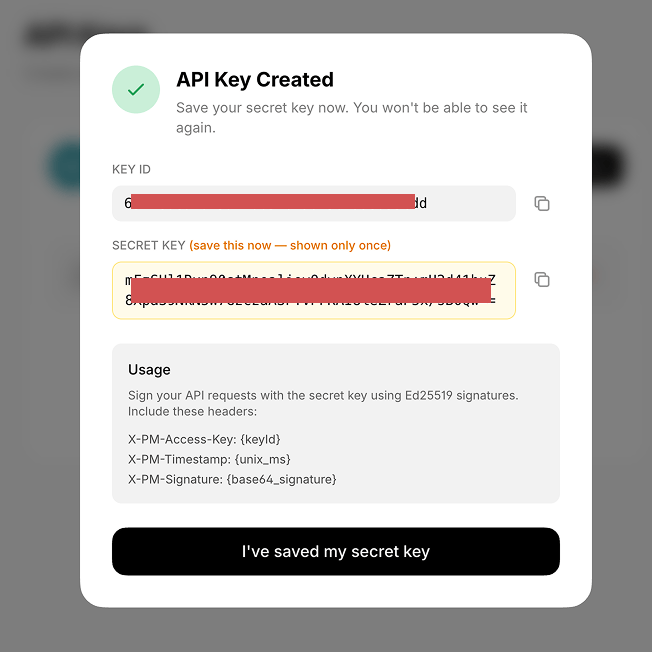 Your secret key is shown **only once**. Copy it somewhere safe before closing the dialog.
If you need help getting set up or need an invite code to access the app, email [support@polymarket.us](mailto:support@polymarket.us).
***
## Step 2: Install the SDK
```bash TypeScript theme={null}
npm install polymarket-us
```
```bash Python theme={null}
pip install polymarket-us
```
TypeScript requires Node.js 18+. Python requires 3.10+.
***
## Step 3: Configure the client
```typescript TypeScript theme={null}
import { PolymarketUS } from 'polymarket-us';
const client = new PolymarketUS({
keyId: process.env.POLYMARKET_KEY_ID,
secretKey: process.env.POLYMARKET_SECRET_KEY,
});
```
```python Python theme={null}
import os
from polymarket_us import PolymarketUS
client = PolymarketUS(
key_id=os.environ["POLYMARKET_KEY_ID"],
secret_key=os.environ["POLYMARKET_SECRET_KEY"],
)
```
***
## Step 4: Fetch market data
No authentication required for public endpoints.
```typescript TypeScript theme={null}
const client = new PolymarketUS();
const events = await client.events.list({ limit: 10, active: true });
const market = await client.markets.retrieveBySlug('chiefs-super-bowl');
const book = await client.markets.book('chiefs-super-bowl');
```
```python Python theme={null}
client = PolymarketUS()
events = client.events.list({"limit": 10, "active": True})
market = client.markets.retrieve_by_slug("chiefs-super-bowl")
book = client.markets.book("chiefs-super-bowl")
```
***
## Step 5: Place an order
```typescript TypeScript theme={null}
const order = await client.orders.create({
marketSlug: 'chiefs-super-bowl',
intent: 'ORDER_INTENT_BUY_LONG',
type: 'ORDER_TYPE_LIMIT',
price: { value: '0.55', currency: 'USD' },
quantity: 100,
tif: 'TIME_IN_FORCE_GOOD_TILL_CANCEL',
});
```
```python Python theme={null}
order = client.orders.create({
"marketSlug": "chiefs-super-bowl",
"intent": "ORDER_INTENT_BUY_LONG",
"type": "ORDER_TYPE_LIMIT",
"price": {"value": "0.55", "currency": "USD"},
"quantity": 100,
"tif": "TIME_IN_FORCE_GOOD_TILL_CANCEL",
})
```
***
## Check your account
```typescript TypeScript theme={null}
const balances = await client.account.balances();
const positions = await client.portfolio.positions();
const openOrders = await client.orders.list();
```
```python Python theme={null}
balances = client.account.balances()
positions = client.portfolio.positions()
open_orders = client.orders.list()
```
***
## Error handling
```typescript TypeScript theme={null}
import {
AuthenticationError,
BadRequestError,
NotFoundError,
RateLimitError,
} from 'polymarket-us';
try {
const order = await client.orders.create({ marketSlug: '...' });
} catch (error) {
if (error instanceof AuthenticationError) {
console.error('Invalid credentials');
} else if (error instanceof BadRequestError) {
console.error('Invalid parameters:', error.message);
} else if (error instanceof RateLimitError) {
console.error('Rate limited');
} else if (error instanceof NotFoundError) {
console.error('Not found');
}
}
```
```python Python theme={null}
from polymarket_us import (
AuthenticationError,
BadRequestError,
NotFoundError,
RateLimitError,
APITimeoutError,
APIConnectionError,
)
try:
order = client.orders.create({"marketSlug": "..."})
except AuthenticationError as e:
print(f"Invalid credentials: {e.message}")
except BadRequestError as e:
print(f"Invalid parameters: {e.message}")
except RateLimitError as e:
print(f"Rate limited: {e.message}")
except NotFoundError as e:
print(f"Not found: {e.message}")
```
| Error | Description |
| --------------------- | ------------------------------ |
| `AuthenticationError` | Invalid or missing credentials |
| `BadRequestError` | Invalid request parameters |
| `NotFoundError` | Resource not found |
| `RateLimitError` | Rate limit exceeded |
| `APITimeoutError` | Request timed out |
| `APIConnectionError` | Network connection error |
***
## Next steps
Full SDK reference for TypeScript.
Full SDK reference for Python.
Explore all REST endpoints.
Stream live market data.
Your secret key is shown **only once**. Copy it somewhere safe before closing the dialog.
If you need help getting set up or need an invite code to access the app, email [support@polymarket.us](mailto:support@polymarket.us).
***
## Step 2: Install the SDK
```bash TypeScript theme={null}
npm install polymarket-us
```
```bash Python theme={null}
pip install polymarket-us
```
TypeScript requires Node.js 18+. Python requires 3.10+.
***
## Step 3: Configure the client
```typescript TypeScript theme={null}
import { PolymarketUS } from 'polymarket-us';
const client = new PolymarketUS({
keyId: process.env.POLYMARKET_KEY_ID,
secretKey: process.env.POLYMARKET_SECRET_KEY,
});
```
```python Python theme={null}
import os
from polymarket_us import PolymarketUS
client = PolymarketUS(
key_id=os.environ["POLYMARKET_KEY_ID"],
secret_key=os.environ["POLYMARKET_SECRET_KEY"],
)
```
***
## Step 4: Fetch market data
No authentication required for public endpoints.
```typescript TypeScript theme={null}
const client = new PolymarketUS();
const events = await client.events.list({ limit: 10, active: true });
const market = await client.markets.retrieveBySlug('chiefs-super-bowl');
const book = await client.markets.book('chiefs-super-bowl');
```
```python Python theme={null}
client = PolymarketUS()
events = client.events.list({"limit": 10, "active": True})
market = client.markets.retrieve_by_slug("chiefs-super-bowl")
book = client.markets.book("chiefs-super-bowl")
```
***
## Step 5: Place an order
```typescript TypeScript theme={null}
const order = await client.orders.create({
marketSlug: 'chiefs-super-bowl',
intent: 'ORDER_INTENT_BUY_LONG',
type: 'ORDER_TYPE_LIMIT',
price: { value: '0.55', currency: 'USD' },
quantity: 100,
tif: 'TIME_IN_FORCE_GOOD_TILL_CANCEL',
});
```
```python Python theme={null}
order = client.orders.create({
"marketSlug": "chiefs-super-bowl",
"intent": "ORDER_INTENT_BUY_LONG",
"type": "ORDER_TYPE_LIMIT",
"price": {"value": "0.55", "currency": "USD"},
"quantity": 100,
"tif": "TIME_IN_FORCE_GOOD_TILL_CANCEL",
})
```
***
## Check your account
```typescript TypeScript theme={null}
const balances = await client.account.balances();
const positions = await client.portfolio.positions();
const openOrders = await client.orders.list();
```
```python Python theme={null}
balances = client.account.balances()
positions = client.portfolio.positions()
open_orders = client.orders.list()
```
***
## Error handling
```typescript TypeScript theme={null}
import {
AuthenticationError,
BadRequestError,
NotFoundError,
RateLimitError,
} from 'polymarket-us';
try {
const order = await client.orders.create({ marketSlug: '...' });
} catch (error) {
if (error instanceof AuthenticationError) {
console.error('Invalid credentials');
} else if (error instanceof BadRequestError) {
console.error('Invalid parameters:', error.message);
} else if (error instanceof RateLimitError) {
console.error('Rate limited');
} else if (error instanceof NotFoundError) {
console.error('Not found');
}
}
```
```python Python theme={null}
from polymarket_us import (
AuthenticationError,
BadRequestError,
NotFoundError,
RateLimitError,
APITimeoutError,
APIConnectionError,
)
try:
order = client.orders.create({"marketSlug": "..."})
except AuthenticationError as e:
print(f"Invalid credentials: {e.message}")
except BadRequestError as e:
print(f"Invalid parameters: {e.message}")
except RateLimitError as e:
print(f"Rate limited: {e.message}")
except NotFoundError as e:
print(f"Not found: {e.message}")
```
| Error | Description |
| --------------------- | ------------------------------ |
| `AuthenticationError` | Invalid or missing credentials |
| `BadRequestError` | Invalid request parameters |
| `NotFoundError` | Resource not found |
| `RateLimitError` | Rate limit exceeded |
| `APITimeoutError` | Request timed out |
| `APIConnectionError` | Network connection error |
***
## Next steps
Full SDK reference for TypeScript.
Full SDK reference for Python.
Explore all REST endpoints.
Stream live market data.