Participants may request to amend any open order using the OrderCancelReplaceRequest [G] message. In this case, the order to be amended is identified using the last-entered ClOrdID (11) value relating to the order into the OrigClOrdID (41) field. Following FIX convention, this modification message will also contain a fresh ClOrdID (11) value which can then be used by the Participant to further modify the order if required. Note that the Polymarket US does not require the entry of the (platform-generated) OrderID (37) in order to amend the order.
Table 17: OrderCancelReplaceRequest (G) message
If the order has been successfully modified, the Polymarket US will respond with an ExecutionReport [8] message which echoes many of the key (updated) order attributes, and with ExecType (150) = 5 (replaced). Note that a modification which increases the remaining order quantity will lose its time priority at a price level. Any modifications to reduce order quantity (or other non-price modifications which do not change quantity) will not cause the order to lose their order book priority.Figure 10: Successful amend of existing order to adjust OrderQty [38]
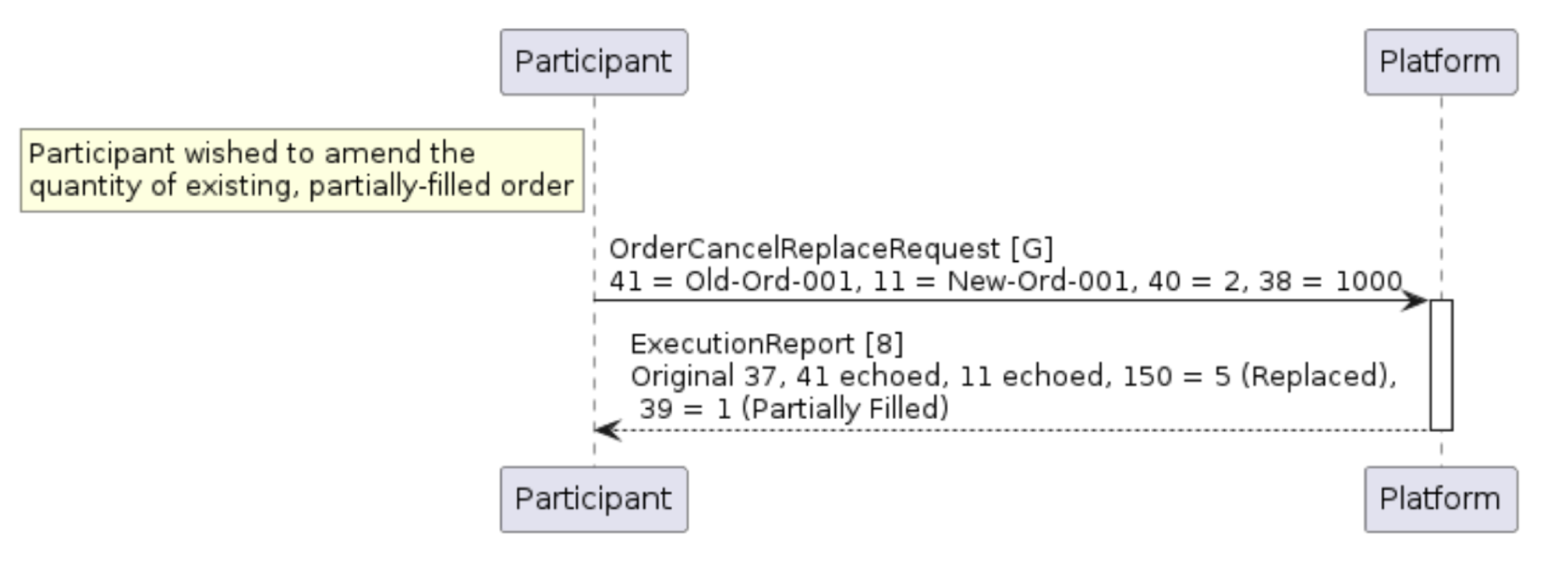
Example 15: Request to replace an existing order
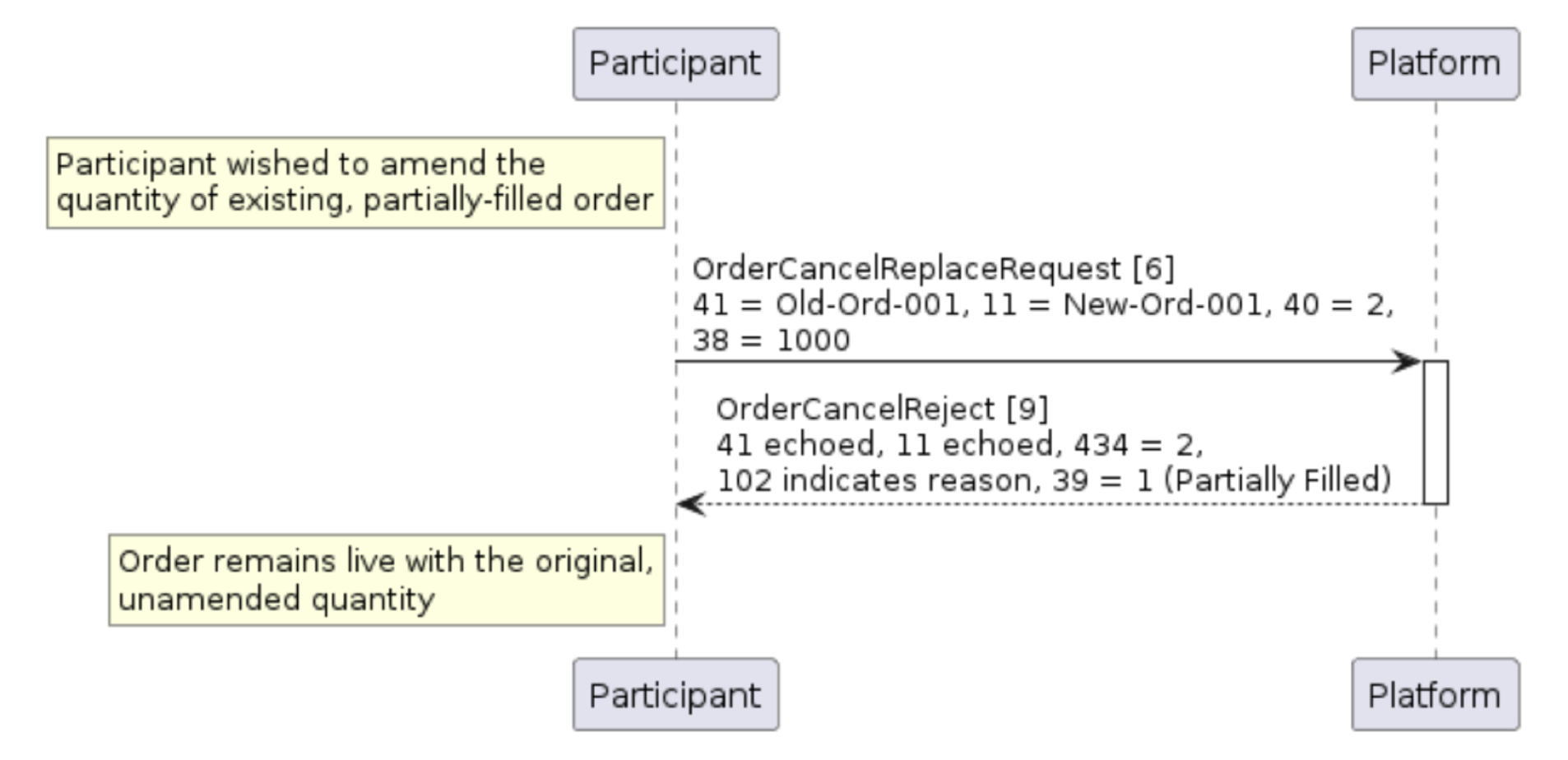
Figure 11: Unsuccessful amend of existing order to adjust OrderQty [38]