

Triggering Stop Orders
Stop Orders which have been accepted by the Platform are immediately acknowledged with an ExecutionReport [8] message indicating OrdStatus (39) = 0 (New). They remain outside the central limit order book until the StopPx (99) has been observed, triggering the release of either a Limit or Market-to-Limit order into the order book. At this point, the Platform will send a second, unsolicited Execution Report [8] with a matching OrderID (37) value, and the OrdType (40) of either 2 (Limit) or K (market-to-limit). The OrdStatus (39) of this triggered order will be 0 (New).Figure 6: Triggering of Stop Limit order
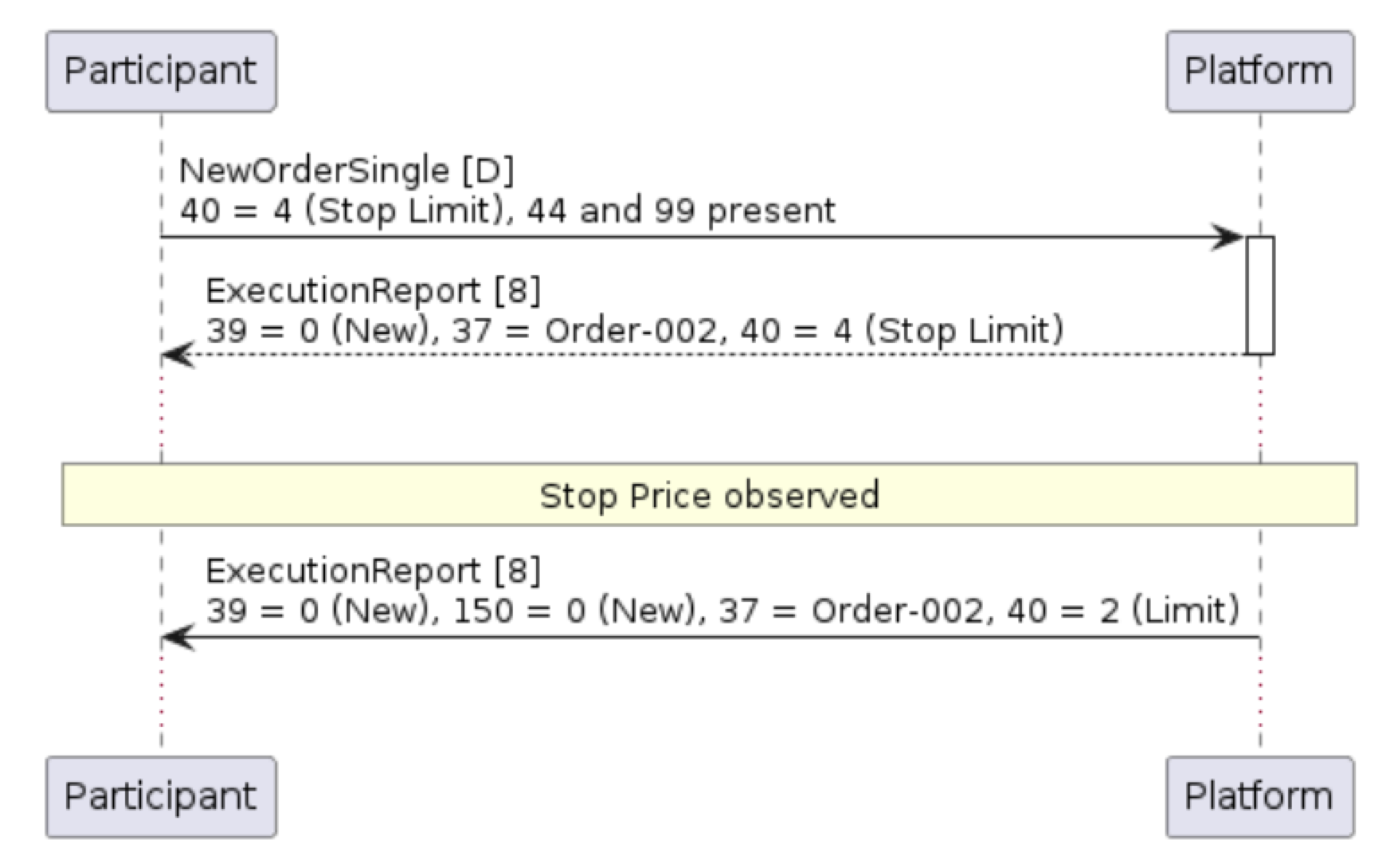
Example 9: Entry of a Stop Limit order
Market-To-Limit Order Behavior
Market-to-limit orders (OrderType (39) = K) are unpriced orders which are designed to execute against any existing orders in the order book upon arrival, with any remaining order balance automatically converted into a Limit order at the last trade or “worst fill” price. To illustrate this behavior, consider the below order book: When a new Market-to-Limit order selling 1,800 hits the order book, then the order will immediately trade 1,000 shares at 10.03, and a further 500 shares at 10.02. Since there are no further bids, the Platform will place the remaining 300 shares into the order book at a price equal to the last fill price of 10.02.

Figure 7: Handling of Market-to-Limit order (see example)
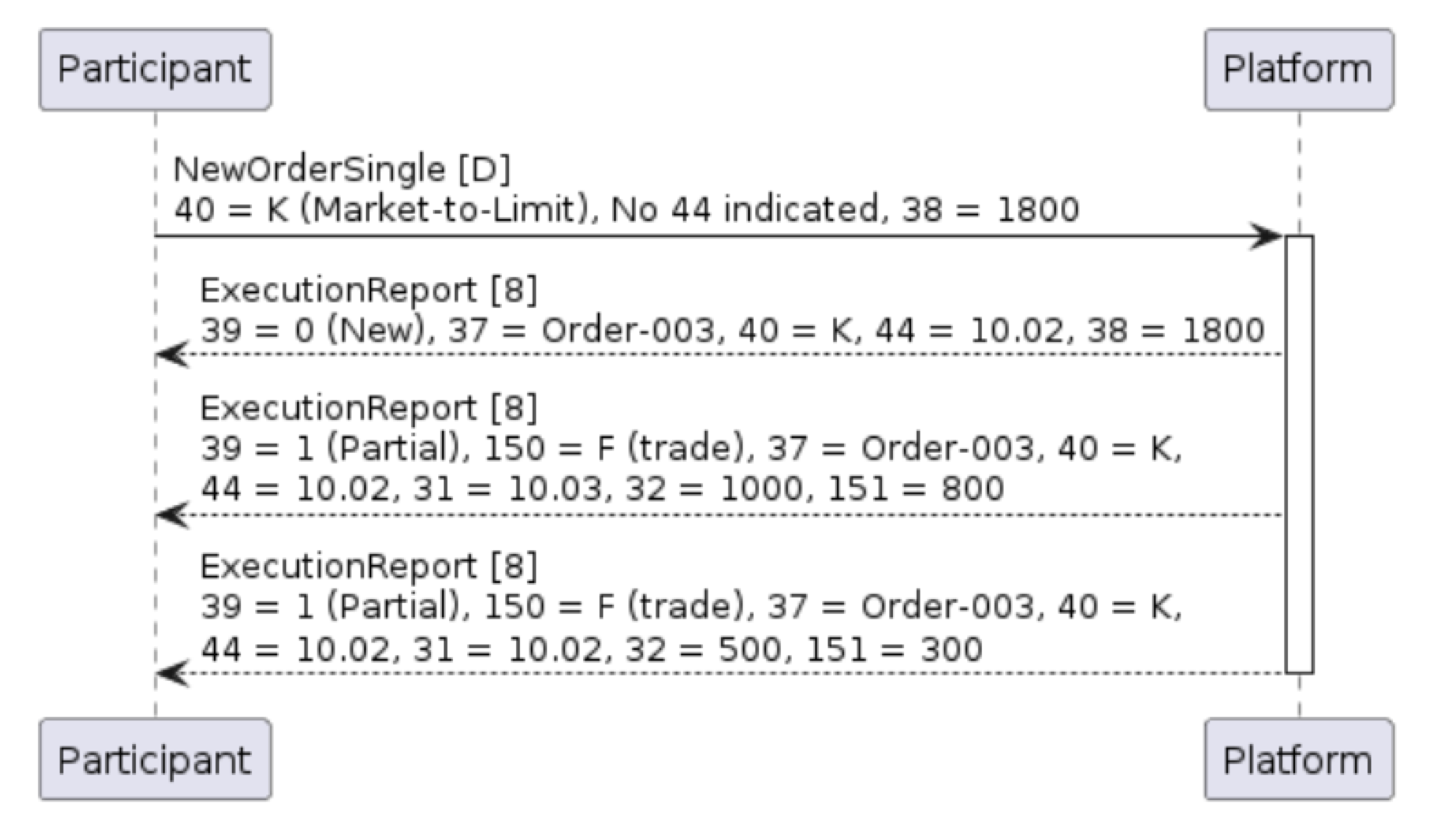
Note that unlike Stop Orders, Market-to-Limit orders retain the same OrdType (40) of K (Market-to-limit) throughout their life; the initial acknowledgement contains the limit Price (44) of the resting order.
Example 12: Initial acknowledgment of Market-to-Limit order indicating end Limit Price (44)