

Table 18: OrderCancelRequest (F) message
| Tag | Name | Req | Type | Description |
|---|---|---|---|---|
| < Standard Header > | Y | 35 = F | ||
| 11 | ClOrdID | Y | String | Fresh, participant-generated, unique reference for this OrderCancelRequest. Must be different from the original ClOrdID (11) for the order. |
| 41 | OrigClOrdID | Y | String | The last (participant-generated) ClOrdID (11) reference for the order. This might be from the original NewOrderSingle or prior amends. |
| 55 | Symbol | Y | String | Instrument symbol as indicated on the order. |
| < Standard Trailer > | Y |
If the request to cancel the order passed validation, then the Polymarket US will acknowledge the order cancellation with an ExecutionReport [8] message indicating OrdStatus (39) = 4 (canceled), and LeavesQty (151) = 0.
Figure 12: Successful cancelation of existing order
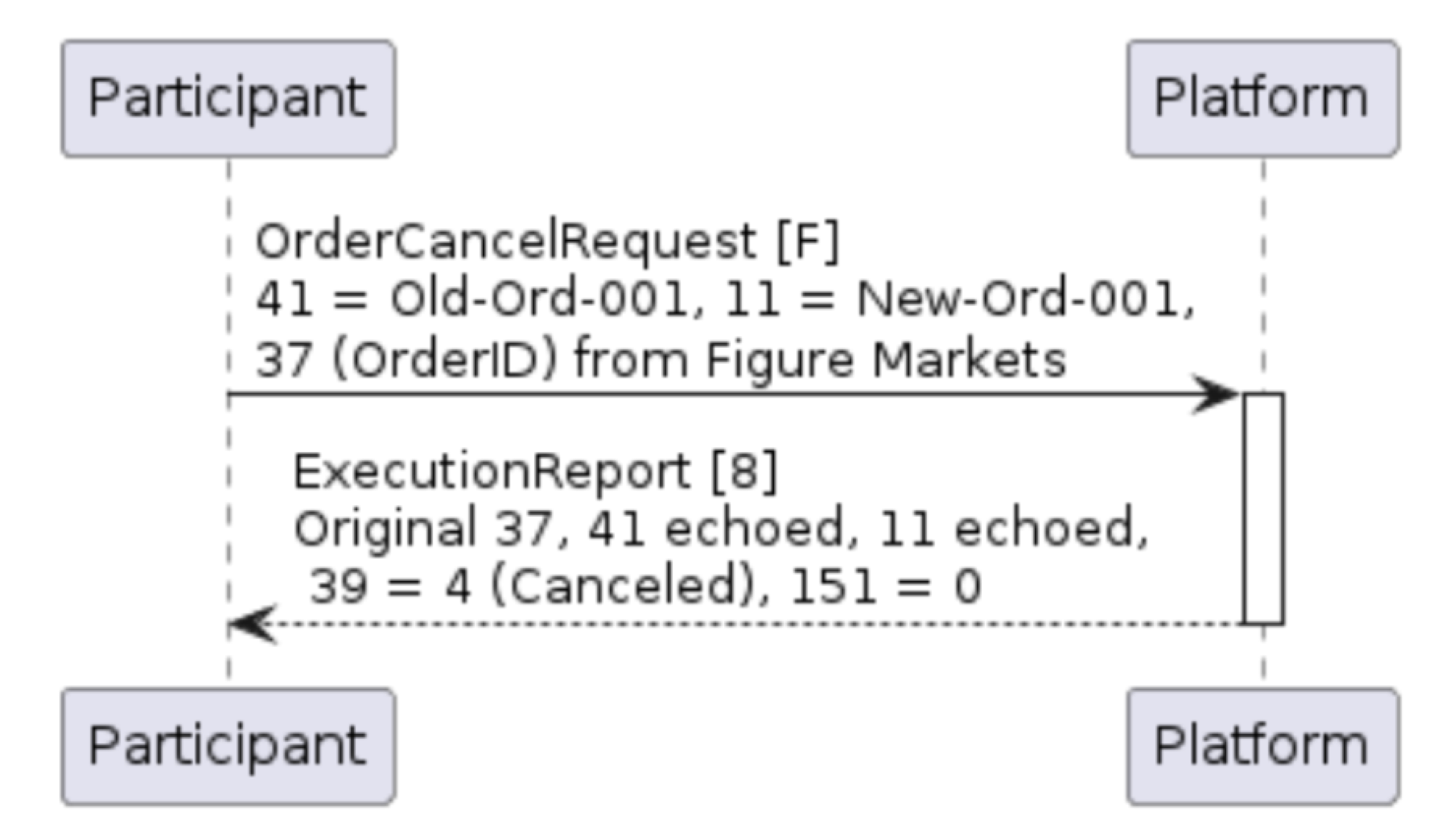 Example 16: Example of order cancel message
Table 19: OrderCancelReject (9) message
| Tag | Name | Req | Type | Description |
|---|---|---|---|---|
| < Standard Header > | Y | 35 = 9 | ||
| 11 | ClOrdID | Y | String | Echoed from the OrderCancelRequest |
| 37 | OrderID | Y | String | Will be ‘NONE’ for unknown orders |
| 39 | OrdStatus | Y | char | Status of the cancellation request. 8=Rejected |
| 41 | OrigClOrdID | Y | String | Echoed from the OrderCancelRequest |
| 58 | Text | Y | String | Free text string providing additional rejection reason |
| 102 | CxlRejReason | Y | int | Reason for the rejection. 0=Too late to cancel, 1=Unknown order, 6=Duplicate ClOrdID, 18=Invalid price increment (tick size), 99=Other |
| 434 | CxlRejResponseTo | Y | char | 1=Order cancel request, 2=Order amend request |
| < Standard Trailer > | Y |
Figure 13: Unsuccessful attempt to cancel existing order
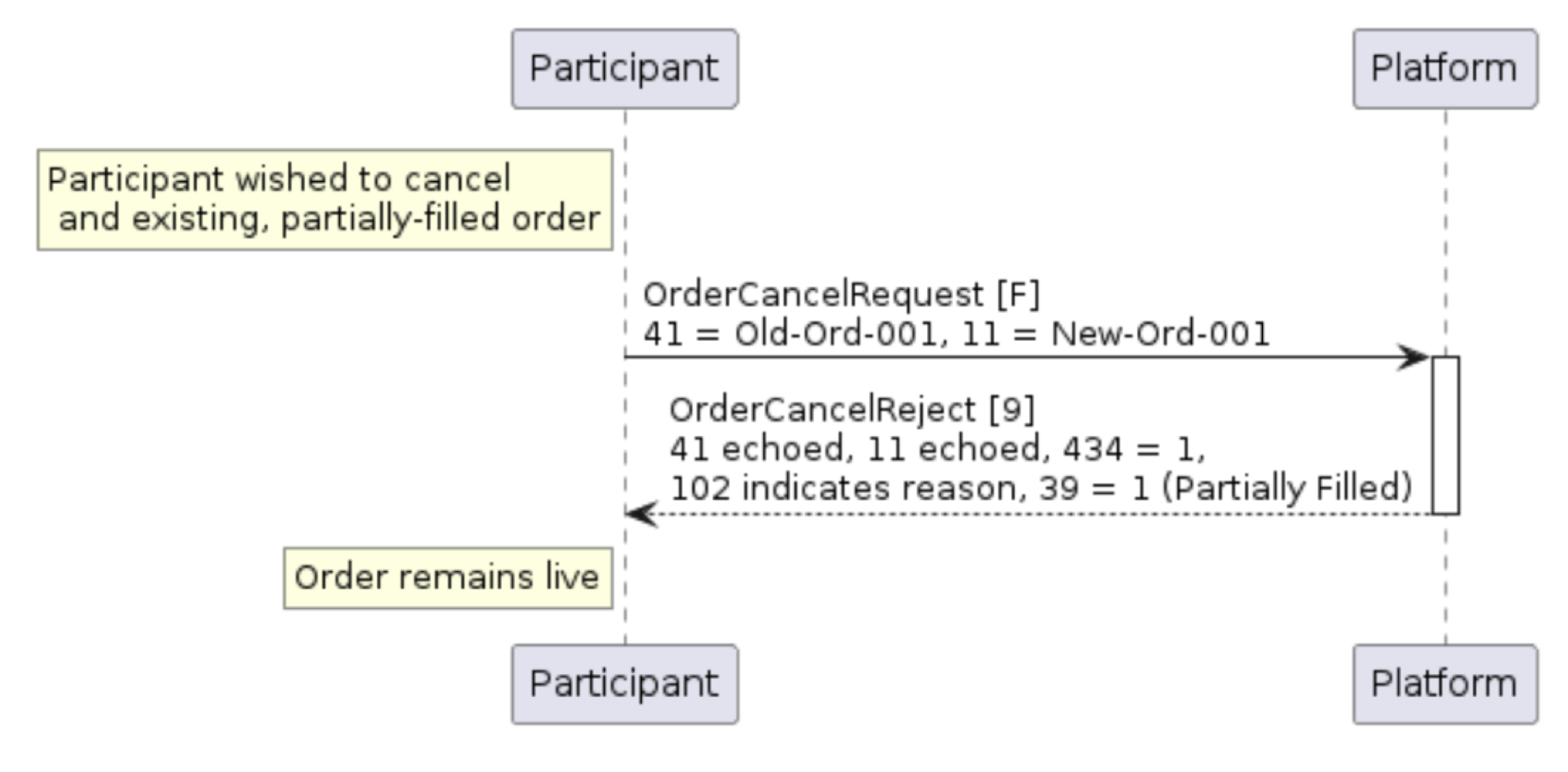
Example 17: Rejection of an unsuccessful cancel attempt