

- The aggressor (new) order will be canceled.
- The passive (existing) order is canceled.
How Self-Match Prevention Works
Set self-match prevention on the order with SelfMatchPreventionID (7928) and SelfMatchPreventionInstruction (8000). Session-level self-match prevention is not enabled by default. Where specified, two otherwise-executable orders from the same participant and which carry the same SelfMatchPreventionID (7928) will be prevented from matching by expiring one of the orders. Whether the resting or aggressive order is canceled is governed by SelfMatchPreventionInstruction (8000) of the incoming order.Figure 8: Self-match prevention expires the oldest order to prevent self-trading
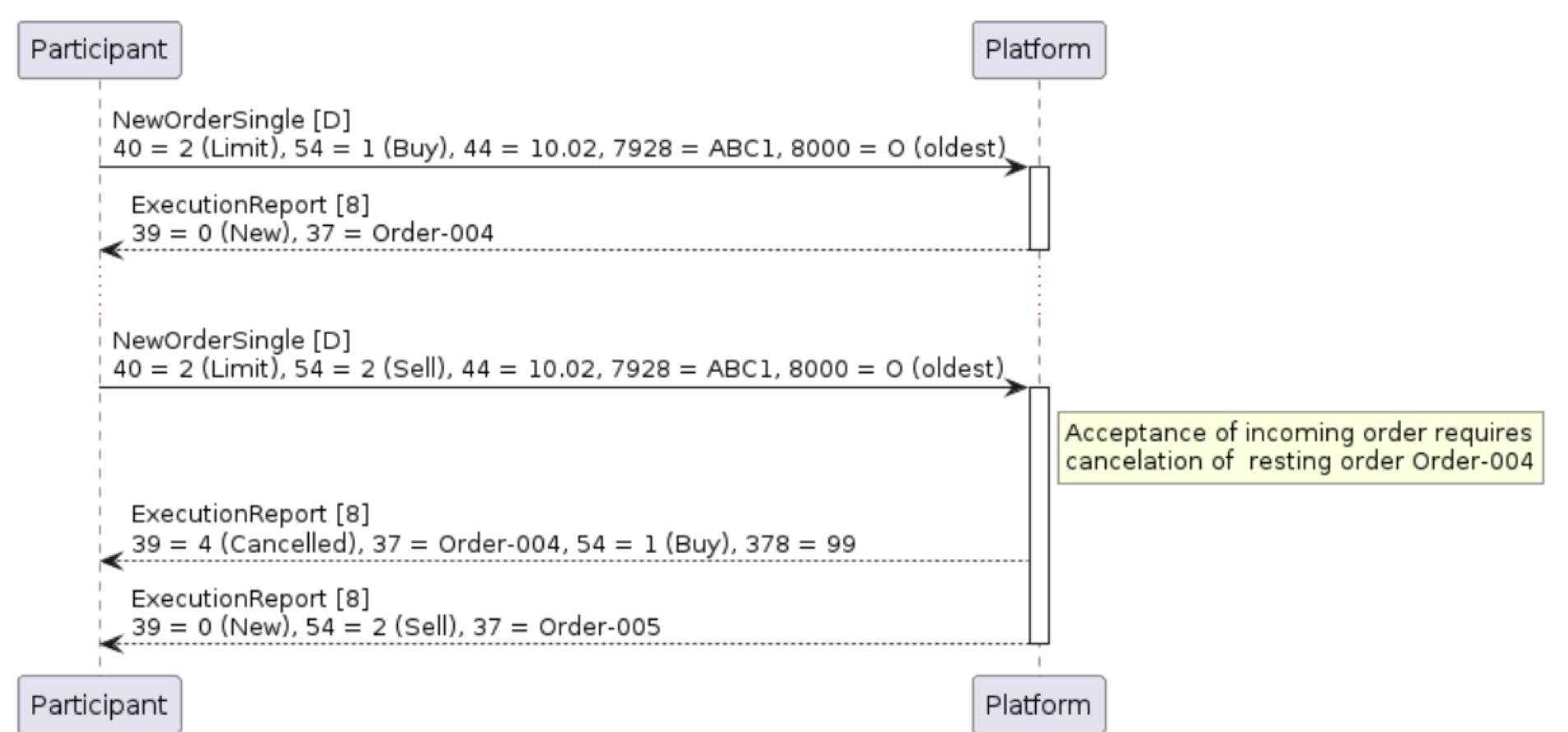
Note that resting order(s) will expire just after the incoming order has been accepted by the Platform, and before any trades have taken place. The incoming order is therefore permitted to trade against other orders in the order book as it entered the market. Example 13: ExecutionReport indicating resting order expiry as a result of self-match prevention
Figure 9: Self-match prevention causes newest order to be rejected
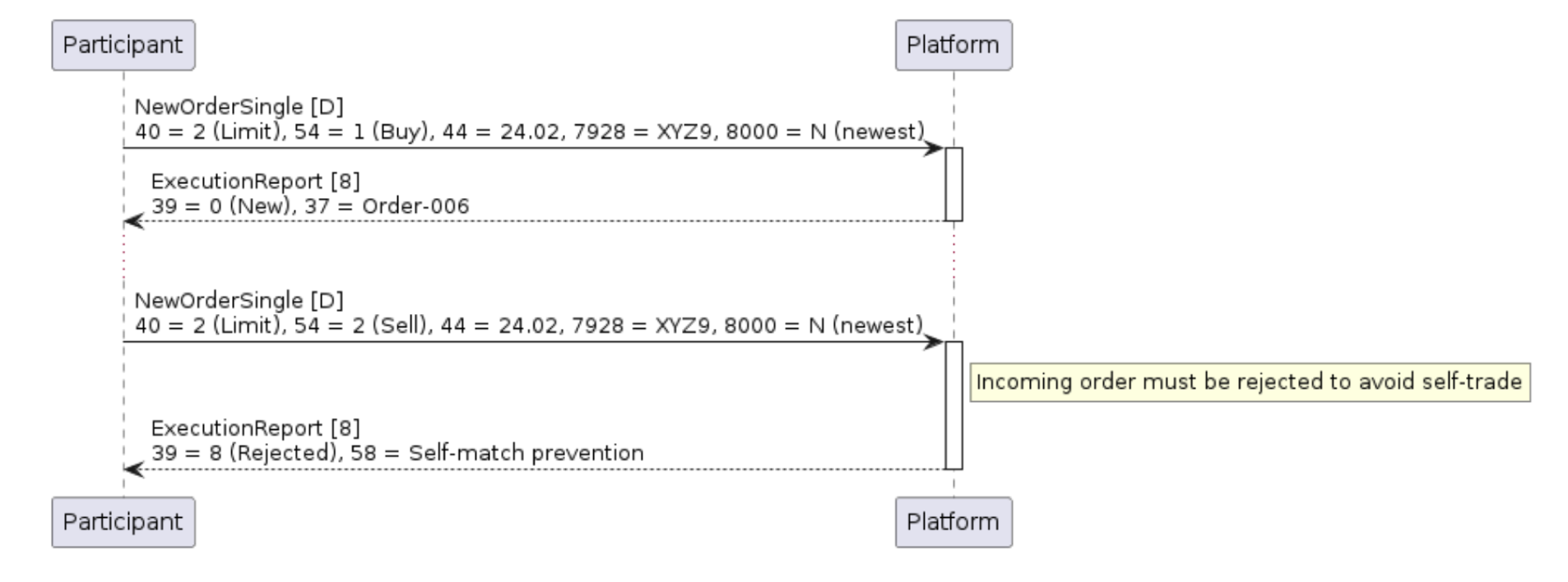
Example 14: ExecutionReport immediately rejecting incoming order as a result of self-match prevention